|
Information Presentation
An important
Now
& Then
design stipulation
requires that information retrieved from
searches and queries be relevant and inclusive. Most of all, retrieved journal information
needed to be
presented and displayed in ways that engaged the user and provided immediate
understanding―hopefully producing frequent "ah ha", moments of insight.
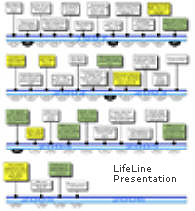
We understood the "catch 22" of journaling―if the user isn't motivated to
enter their daily activities, observations, and thoughts, their browsing provides skimpy and boring results. Our goal was to make
sure that journal searches returned information that was organized for insight,
interestingly formatted, and encouraged users
to frequently browse and search their journals. We understood that search results needed to be
both illuminating and entertaining―providing the motivation for users to consistently
and substantially update
their journals.
With this in mind,
Now
& Then
was designed to organize and display your retrieved information for easy
comprehension and to support intuitive leaps of thinking―it organizes and
packages your past in formats that are relevant to your present thoughts,
inquiries, musings.
The program automatically selects the best combination of presentation methods from a
large variety of representation schemes. Depending on the focus of the query and
nature of the retrieved information,
Now
& Then
displays your query results
using a mixture of charts, tables, timelines, grids, sequential narrative,
concept-focused narrative, and graphics.
In this way,
Now
& Then
aggregates only relevant information―narrative, tables, audio, photos, annotations, and time series.
It visually presents the information in ways that facilitate and encourage
comparing and contrasting information and that illuminate hidden patterns and
suggest
answers.
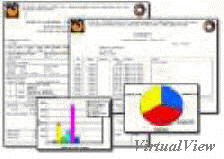
Automatic & template presentations
Your journal information is stored in its "native" format―just as you entered it.
It is also
automatically "atomized", re-assembled, and formatted as a "virtual"
presentation based on your queries and browsing. You can always modify the
resulting presentation
to focus on a particular interest and to reflect your personal preferences. To
retain any (virtual) presentation for future use, simply give it a name and save it as
a Presentation
Template.
(continued)
home
|



