|
Navigation
Navigation, in contrast with the Review or
Discovery functions,
provides "maps" showing paths to concepts and information you may wish to
visit. Review and Discovery, on the other hand, help you analyze and gain insight
from information you've found through your navigation.
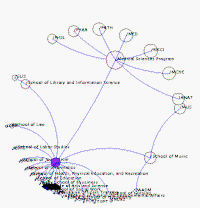
An analogy based on a real map may help explain journal navigation. Browse a map of the United States and
focus on Florida. Florida
reminds you of the fun you had at your favorite beach in Key West. You remember the afternoon it clouded
over early and stated to rain. You retreated to the canopy of the beach
restaurant where you watched the rain on the ocean and talked with other beach people.
Your journal entry reminds you that, rather than being ruined by the
rain, that day turned out to be just different―mellow and soothing. That memory leads you to
navigate your
journal to all entries related to "rain" on vacation or weekend days (i.e.
Discovery).
Navigating your journal is useful when you only have a general idea about what
you want to review. You refine, direct, and redirect your review
along the way. Navigation can be user-directed or machine-suggested. Free association, links,
detours, and link suggestions are
great ways to navigate your memoirs. Its easy to jump from
concept-to-concept, or date-to-date, and date-to-tag,
and to categorize, or collect information as you navigate through your recorded
thoughts.
Structured Navigation
With both Guided Navigation and structured Queries you can change one or many of the parameters in order to broaden, focus, or
redirect your navigation path. Because dropdown menus list the search parameters
you previously used, you can keep mixing search attributes until you arrive at the exact
information you seek.
With the Guided Navigation Template you can provide values for any of the parameters
you wish to use to describe your interests:
| Words &
phrases |
Categories |
Collections |
Date & range |
| Avoid Words
& phrases |
Topics |
Concepts |
Bookmarks &
Tags |
Calendar Navigation
Now
& Then's
Intelligent
Calendar
intuitively understands how you use dates,
ranges, days, timelines, and time arcs to record and review your journal
information.
The Calendar Browser provides an involving way to navigate your life memories.
Because all of your journal entries are date stamped, you only need
to enter a date or time period, or p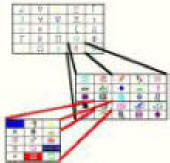 oint
& click in the Calendar Browser. You can zoom in from decade-to-year-to-day
and focus on a specific time period and / or subject matter. oint
& click in the Calendar Browser. You can zoom in from decade-to-year-to-day
and focus on a specific time period and / or subject matter.
Use any date range, or any calendar measurement including "This day
(or date) each year in my history" "This date in my future".
You can populate your calendar or timeline view with search-specific information
such as "golf outings" or "furnace filter change schedule" or "type of exercise". Of
course, you can always switch to the Discovery mode and create "Virtual"
Calendars and timelines to measure, compare and contrast various aspects of your
past.
see: Map & Tree based
Navigation
home
|



